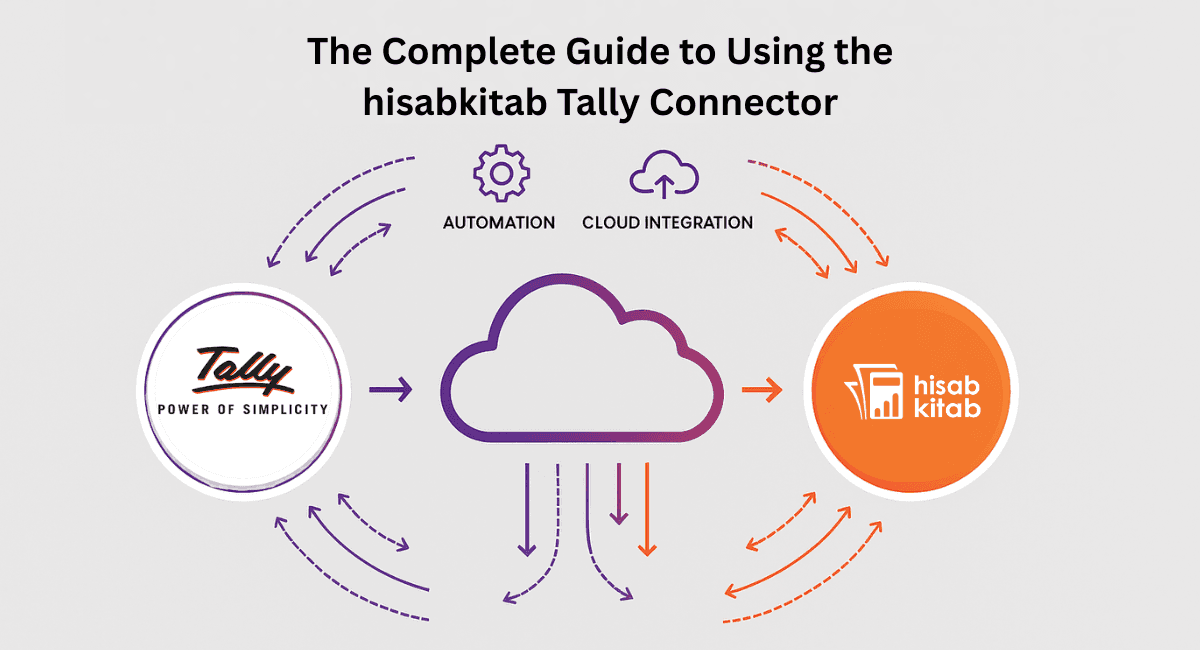


Accounting teams across India rely on Tally for GST, reporting, and compliance.
But businesses today also need modern automation AI-based OCR, bank statement auto-entry, cloud access, payment reminders, multi-device syncing, and faster bookkeeping.
This creates a gap between traditional accounting in Tally and modern automation tools used by business owners.
The hisabkitab Tally Connector bridges this gap perfectly.
It syncs data between Tally ⟶ hisabkitab ⟶ Tally, enabling both worlds to work together without manual entries.
This guide covers everything you need to know.
What Is the hisabkitab Tally Connector?
The Tally Connector is a two-way integration between hisabkitab and Tally.
This means:
Data from hisabkitab can be pushed directly into Tally
Data from Tally can be fetched into hisabkitab
No manual re-entry of invoices, ledgers or vouchers
Full sync between accountant workflow & business owner workflow
It keeps business owners updated through hisabkitab’s cloud UI while accountants continue working inside Tally as usual.
Why Businesses Need the Tally Connector
Most companies face at least one of these problems:
• Business owners cannot see real-time numbers
Tally is offline owners cannot check data from mobile.
• Too much duplication of work
Invoices created in hisabkitab or POS must be re-entered into Tally manually.
• CA teams spend hours on data cleanup
Mismatch in GST, item names, ledger mapping, and voucher types.
• Communication gap between business & accounting team
Owners want instant reports; CAs need time to update Tally.
• No automation in traditional accounting
AI OCR, auto-ledger suggestion, bank statement OCR none of this exists in Tally.
The hisabkitab Tally Connector solves ALL these issues.
Key Features of the hisabkitab Tally Connector
Direct Sync of Sales Invoices to Tally
Invoices created in hisabkitab (mobile or web) get transferred automatically to Tally with:
GST
HSN
Items
Ledgers
Narration
No manual entry needed.
Purchase Bills Sync into Tally
After AI OCR reads purchase entries in hisabkitab, they sync directly to Tally.
This ensures Tally stays clean and accurate.
One-Click Ledger Mapping
hisabkitab automatically suggests:
Customer ledgers
Supplier ledgers
Item groups
GST classifications
Reduces setup time drastically.
Receipt & Payment Sync
When business owners record payments in hisabkitab, they sync back to Tally —
keeping cash/bank books accurate.
Two-Way Data Sync
Accountants can continue entering:
Journals
GST adjustments
Credit notes
Debit notes
Payroll entries
in Tally, and fetch them back into hisabkitab for visibility.
Multi-Branch & Multi-Company Support
Perfect for businesses with:
Multiple branches
Multiple godowns
Multiple entities
Each can be synced separately.
GST-Ready, Audit-Ready Data
Because everything is mapped correctly before syncing:
No mismatch
No duplicated entries
No wrong GST amounts
No reconciliation headaches
How the Tally Connector Helps Accountants & CAs
Accountants get:
Clean, structured Tally data
No manual voucher creation
Fewer errors
Faster month-end closing
Accurate GST returns
Better communication with clients
The result?
Accountants save dozens of hours every month on repetitive tasks.
How the Tally Connector Helps Business Owners
Owners get:
Real-time visibility of sales, expenses & profit
Multi-device access (mobile + desktop)
Daily reports
AI automation for data entry
Outstanding reminders
Inventory & bookkeeping clarity
They get the modern cloud experience without leaving Tally behind.
How the Integration Works (Simple View)
Step 1: Business enters sales, expenses, purchase bills in hisabkitab
Step 2: AI reads and categorizes entries
Step 3: Tally Connector maps ledgers automatically
Step 4: With one click, data syncs into Tally
Step 5: Accountant works inside Tally as usual
Step 6: accountant’s updates can be pulled back into hisabkitab
Pricing for the hisabkitab Tally Connector (2025)
Starts At ₹2,999 per year
This includes:
Unlimited sync
Unlimited vouchers
Automatic ledger mapping
Support & updates
Multi-branch compatibility
CA mode + dashboards
Who Should Use the hisabkitab Tally Connector?
Perfect for:
Traders
Retailers
Service businesses
Manufacturers
Distributors
Agencies
CA firms
Multi-branch companies
Medium & growing enterprises
If you rely on Tally but want cloud automation → this is the best solution.
Final Takeaway
The hisabkitab Tally Connector gives businesses the power of modern automation + traditional Tally accuracy.
It eliminates manual work, reduces errors, improves reporting speed, and provides financial clarity to both owners and accountants.
In 2025, businesses cannot afford slow, manual accounting.
The Tally Connector ensures your systems stay fast, synced, and future-ready.
Want to activate the Tally Connector for your business?
Book a Demo Now and experience the automation firsthand.
Continue Reading