Rated 4.8/5 by 10,000+ users

Pine Labs POS Integration for Simplified Accounting

Seamlessly connect your Pine Labs POS device with hisabkitab to experience real-time payment tracking, automatic entry creation, and smarter business management, all in one platform.

Rated 4.8/5 by 10,000+ users

Pine Labs POS Integration for Simplified Accounting

Seamlessly connect your Pine Labs POS device with hisabkitab to experience real-time payment tracking, automatic entry creation, and smarter business management, all in one platform.

Rated 4.8/5 by 10,000+ users

Pine Labs POS Integration for Simplified Accounting

Seamlessly connect your Pine Labs POS device with hisabkitab to experience real-time payment tracking, automatic entry creation, and smarter business management, all in one platform.

Benefits

What the Pine Labs Integration Does

Auto Payment Sync

Every payment made through your Pine Labs device is auto-updated in hisabkitab against the respective invoice.

Instant Reconciliation

Get daily transaction summaries and ensure your ledgers always match your actual POS data.

Error-Free Accounting

No need to manually enter payment receipts. hisabkitab automatically records and categorizes them.

Unified Dashboard

Track all your digital and cash payments directly within hisabkitab.

Real-Time Data

Whether it’s card, UPI, or wallet payments, every entry is instantly reflected.

Industries That Use Our Features

Industries That Use Our Features

Versatile Accounting and Billing Software for Every Sector

  • Retail Businesses

  • Traders

  • IT Firms

  • Wholesale Businesses

  • Retail Businesses

  • Traders

  • IT Firms

  • Wholesale Businesses

  • Retail Businesses

  • Traders

  • IT Firms

  • Wholesale Businesses

  • Retail Businesses

  • Traders

  • IT Firms

  • Wholesale Businesses

  • Retail Businesses

  • Traders

  • IT Firms

  • Wholesale Businesses

  • Retail Businesses

  • Traders

  • IT Firms

  • Wholesale Businesses

  • Startups

  • Pharma & Healthcare

  • Freelancers

  • MSMEs

  • Startups

  • Pharma & Healthcare

  • Freelancers

  • MSMEs

  • Startups

  • Pharma & Healthcare

  • Freelancers

  • MSMEs

  • Startups

  • Pharma & Healthcare

  • Freelancers

  • MSMEs

  • Startups

  • Pharma & Healthcare

  • Freelancers

  • MSMEs

  • Startups

  • Pharma & Healthcare

  • Freelancers

  • MSMEs

How does the Pine Labs integration work?

Pine Labs terminals process card and UPI payments at your counter. hisabkitab links those payments to your sales invoices so the money received matches the bills raised. Once connected:

  1. Bill the customer in hisabkitab or at your POS

  2. The customer pays by card or UPI on the Pine Labs terminal

  3. The payment posts against the invoice automatically

  4. Settlements are matched with your bank statement, with MDR charges booked as expenses

What problems does it solve?

Retailers with card machines usually reconcile by hand at day end. The integration removes that work:

  • No manual entry of card and UPI receipts

  • Daily settlement amounts tie back to individual bills

  • Charges deducted by the acquirer are recorded, not lost

  • Cash, card and UPI collections show separately in your reports

Who should use it?

Retail stores, pharmacies, electronics shops, restaurants and any business with high counter volumes. Pair it with POS billing in hisabkitab for fast barcode billing and live stock.

Setting up the Pine Labs integration

Setup is a one-time step:

  • Share your Pine Labs merchant details with the hisabkitab team or connect them from the integrations screen

  • Map the settlement bank account in hisabkitab

  • Choose how MDR and other charges should be booked

  • Run a test transaction and confirm it posts against the right invoice

Card, UPI and cash in one report

Once connected, the day book shows cash, card and UPI collections side by side. Owners can see the day’s takings from the mobile app without calling the store, and the accountant gets settlements already matched at month end.

FAQs

What is the hisabkitab × Pinelab integration?

Do I need any technical setup for this integration?

Can I choose which Pinelab transactions to sync?

What happens if my internet connection is lost?

Which plans include the Pinelab integration?
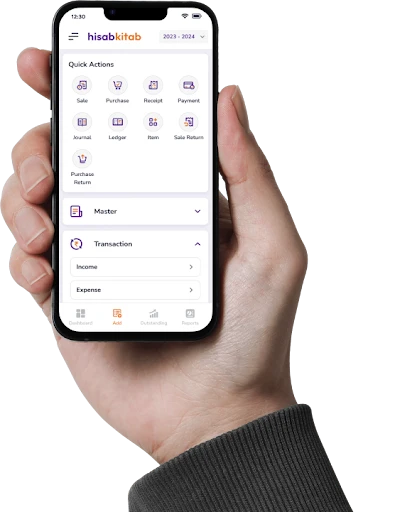
Your accounting, in your pocket.

Your accounting, in your pocket.

hisabkitab mobile accounting app on a phone
QR code to download the hisabkitab mobile app

Available On