3 Simple Steps
How It Works
Versatile Accounting and Billing Software for Every Sector
What is an invoice to Excel converter?
An invoice to Excel converter reads the details printed on a bill, such as the supplier, invoice number, items and taxes, and turns them into structured data you can use in a spreadsheet or accounting software. hisabkitab uses AI OCR to read GST purchase invoices from PDFs, scanned copies and phone photos. You can export the data to Excel, or turn it into a purchase entry in one click with the supplier and tax details already filled in.
Why extract purchase invoice data automatically?
Purchase bills are the biggest source of manual data entry for most Indian businesses. Reading them automatically helps you:
Book purchases on the day bills arrive, instead of in a rush at month end
Avoid typing mistakes in GSTIN, invoice numbers, HSN codes and tax amounts
Keep your purchase register ready for GSTR-2B reconciliation and input tax credit
Track TDS on purchases and expenses where it applies
Free your accounts team from typing so they can review and follow up instead
What details does the AI read from a GST invoice?
hisabkitab reads the particulars a tax invoice must carry under Rule 46 of the CGST Rules, including:
Supplier name, address and GSTIN
Invoice number, invoice date and place of supply
Item description, HSN or SAC code, quantity, unit and rate
Discounts and taxable value for each line
CGST, SGST, IGST and cess amounts, and the invoice total
TDS details where they apply
How to convert a purchase invoice to Excel with hisabkitab
The process is short:
Sign up free for hisabkitab and open purchase bill import.
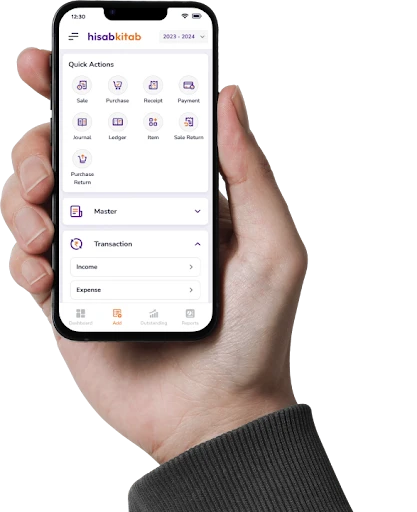
Upload a PDF or scanned bill, or take a photo of a paper bill with the hisabkitab mobile app.
AI extracts the supplier, invoice, item and tax details.
Review the fields, with the supplier matched to your existing ledger or created from its GSTIN.
Export the data to Excel, or save it as a purchase entry that flows into your GST reports.
Manual entry vs hisabkitab AI invoice reading
Task
Typing by hand
hisabkitab AI
Supplier details
Type name, address and GSTIN
Read from the bill, or fetched using the GSTIN
Line items and HSN
Copy each line
Extracted with quantity, rate and HSN
Tax split
Calculate and check CGST, SGST or IGST
Read from the bill for you to review
Booking the purchase
Second round of data entry
One-click purchase entry
GST reports
Updated only after manual entry
Updated as soon as the bill is booked
Who uses AI invoice reading?
Distributors and traders
Businesses that receive dozens of supplier bills a day use hisabkitab to book purchases quickly and keep stock and payables up to date.
CAs and bookkeeping firms
Accountants who receive bills from clients by email or WhatsApp convert them in bulk, rather than typing every invoice before GST filing.
Tips for the best results
A little care at upload time keeps the extraction accurate:
Use the original PDF from the supplier whenever you have it.
For paper bills, photograph the full page on a flat surface in good light.
Check the GSTIN and totals during review before you save the entry.
Correct a field once; hisabkitab learns from your corrections.
FAQs
What details does the AI read from an invoice?
Can it read a photo of a bill taken on my phone?
Does it create the purchase entry too?
How accurate is the extraction?
Can I export the extracted data to Excel?
Which plan includes AI invoice reading?
What file types can I upload?
Does it work with handwritten bills?
Can hisabkitab check the supplier's GSTIN?
Will extracted purchases appear in GSTR-2B reconciliation?