Benefits
Why It Matters

The problem
Does your business stop when you leave the office?
Customers call while you're out
A customer wants a quotation or a copy of an invoice while you're at a supplier's or a site. Without access, it waits until you're back at the computer.
Bills get lost on the way
Paper bills collected during the day end up in pockets and bags. By the time they reach the accountant, some are missing.
Decisions without numbers
Owners decide on credit, purchases and pricing while travelling, without knowing today's sales or who owes what.
How it works
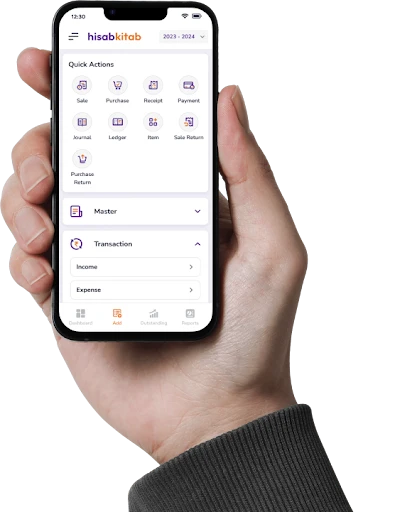
How the mobile app works
1
Download and sign in
Install hisabkitab from the App Store or Play Store and sign in with your existing web login.
2
Create and share
Raise an invoice or quotation in a few taps and share it on WhatsApp straight from the phone.
3
Capture bills
Photograph a supplier bill; on Advance, AI-OCR reads it and prepares the purchase entry for approval.
4
Check and approve
Open the dashboard for sales, receivables and cash, and handle approvals on the go.
Capabilities
What you can do on mobile
Quick invoice creation
Create GST invoices and quotations from your phone, with tax applied from the customer's GSTIN.
WhatsApp invoice sharing
Send invoices directly on WhatsApp, where most Indian customers expect them.
Purchase bill photo capture
Photograph bills on the spot; on Advance, AI-OCR creates the entry for your review.
Dashboards
See sales, outstanding and cash position at a glance wherever you are.
Approval flow
Approve entries and requests without waiting to get back to the office.
Same data everywhere
One login, one set of books across web, iOS and Android, always in sync.
Use cases by industry
Who uses it, and how
Freelancer
A freelance photographer raises an invoice from the phone after a shoot and shares it with the client on WhatsApp before leaving the venue.
Distributor's owner on the road
An FMCG distributor checks the receivables dashboard before visiting a retailer and knows exactly what to collect.
Restaurant outlet manager
An outlet manager photographs vegetable and dairy bills as they arrive, and the accounts team approves them at head office the same day.
Contractor at site
A contractor creates a quotation for additional work while standing with the client at the site, and sends it on WhatsApp immediately.
Before vs after
Before hisabkitab, and after
Waiting to reach the office to send an invoice
Invoice shared on WhatsApp from the phone
Paper bills lost in transit
Photographed the moment they arrive
Calling the accountant for today's sales
Dashboard on your phone
Separate app with separate data
Same login, same books as the web
The hisabkitab mobile app for iOS and Android uses your existing hisabkitab login, with paid plans starting at Launch (₹2,999/year, exclusive of 18% GST). Photo capture with AI-OCR that creates purchase entries automatically is part of Advance (₹6,999/year).
Popular with these industries
Versatile Accounting and Billing Software for Every Sector
FAQs
Is there a hisabkitab app for iPhone and Android?
What can I do on the mobile app?
Can I photograph a purchase bill and have it entered?
Does the app work offline?
Can I share invoices on WhatsApp from the app?
Is it a separate subscription?
Can my staff use the app too?
Is my data safe on the phone?
Can I check who owes me from the app?
Can I approve entries from my phone?
Take your books wherever business takes you
Download hisabkitab on iOS or Android and sign in with your web login, or start free and create your first invoice from your phone today.