Benefits
Why It Matters

The problem
Running two businesses means two sets of headaches?
One laptop, one person, one file
With desktop software, the books live on one computer. If the accountant is on leave or the laptop fails, nobody else can bill or check a balance.
Shared passwords, no accountability
When the whole team uses one login, you can't tell who created or changed an entry, and removing a former employee's access means changing everyone's password.
Each company in its own silo
A trading firm, a services firm and a new LLP in the family often run on separate installations. Reviewing all three means three logins and three sets of reports.
How it works
How multi-company and multi-user work
1
Create your companies
Add each business or GSTIN as its own company with its own books, GST settings and reports.
2
Invite your team
Create a login for each person who needs access: billing staff, accountant, partner or your CA.
3
Set what each user can do
Decide which companies each user can open and what they are allowed to do, so billing staff bill and accountants do accounts.
4
Switch and review
Move between companies from the same login and review each one's sales, GST and reports.
Capabilities
Built for growing businesses
Multiple companies
Launch includes 1 company, Boost 2 and Advance 4, each with fully separate books.
Multiple users
Launch includes 2 users, Boost 4 and Advance 5, each with their own login.
User roles
Control what each user can access, so staff see the screens they need and nothing more.
Add-ons when you grow
Extra users and extra companies can be added on any plan at a clear yearly price.
Works anywhere
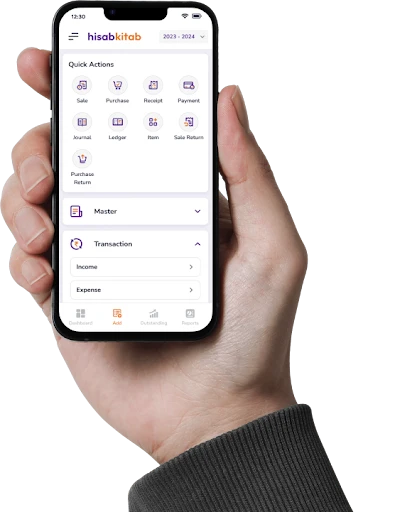
Cloud-based on web, iOS and Android, so partners and staff in different cities work on the same books.
Accountability on Advance
The audit trail logs every voucher change with the user and time, and freeze transactions locks closed periods.
Use cases by industry
Who uses it, and how
Family business with two firms
A family runs a hardware trading firm and a transport business in Surat. Both are on Boost under one login, with the son handling transport and the father reviewing both.
Distributor with branches in two states
A distributor with GSTINs in Gujarat and Maharashtra keeps each GSTIN as a separate company on Advance, so returns are filed per state.
Retailer with billing staff
A departmental store gives each counter cashier a billing login, the accountant full accounts access and the owner a view of everything.
Business working with an outside CA
An owner gives the CA their own login to review books and prepare returns, instead of emailing backups every month.
Before vs after
Before hisabkitab, and after
Books on one office computer
Cloud access for every authorised user
One shared password
Individual logins for each person
Separate software for each firm
All companies under one login
Emailing backups to the CA
CA reviews the live books with their own access
Available on all three paid plans with different limits: Launch (₹2,999/year, exclusive of 18% GST) includes 1 company and 2 users; Boost (₹4,999/year) 2 companies and 4 users; Advance (₹6,999/year) 4 companies and 5 users. Extra users cost ₹249, ₹349 or ₹499 a year and extra companies ₹499, ₹749 or ₹999 a year on Launch, Boost and Advance respectively.
Popular with these industries
Versatile Accounting and Billing Software for Every Sector
FAQs
How many companies can I manage under one login?
How many users can access my books?
Can I control what each user can do?
Can my CA have their own login?
Should each GSTIN be a separate company?
Can I switch between companies quickly?
Can people in different cities work at the same time?
How do I know who changed an entry?
Is my data safe with multiple users?
What happens to my data if I don't renew?
Bring every company and every teammate under one roof
Set up your companies, invite your team and give your CA access in one afternoon. Start free or book a demo to plan the right mix of users and companies.