Benefits
Why It Matters

The problem
Still checking tax on a calculator beside your billing screen?
Wrong tax type, wrong return
When a Surat seller bills a Mumbai buyer, the invoice needs IGST, not CGST + SGST. One wrong choice shows up later as a mismatch in GSTR-1 and a headache for your CA at filing time.
Billing and books live apart
Many shops bill in one app and do accounts in another. Every month someone re-enters sales, and every re-entry is a chance for a typing error that takes hours to trace.
Missing details slow down payment
Invoices without the buyer's GSTIN, HSN code or a clear tax split get sent back by customers. That delays your payment and your customer's input tax credit.
How it works
How GST billing works in hisabkitab
1
Add your party once
Save the customer with their GSTIN. The first two digits are the state code (24 is Gujarat, 27 is Maharashtra), which hisabkitab uses to decide the tax type.
2
Pick items, not tax rates
Select items with their HSN code and GST slab already saved. Quantity times rate fills the line value, and discounts are applied before tax.
3
Tax splits itself
For a same-state buyer, an 18% item shows 9% CGST and 9% SGST. For an other-state buyer it shows 18% IGST. Totals and round-off are calculated for you.
4
Save, print, share
Save with Ctrl + A, print or download a PDF, and share on WhatsApp or email. The sale is already posted to the ledger, stock and GST report.
Capabilities
Everything you need to bill under GST
All vouchers in one place
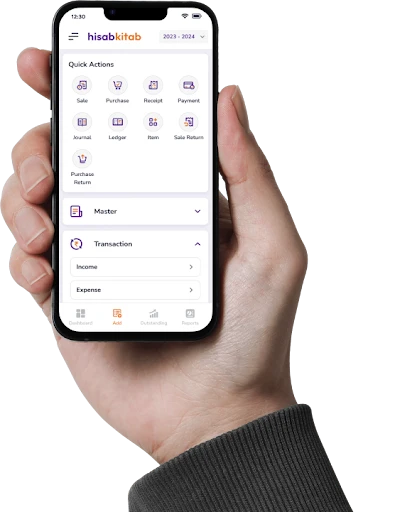
Estimate/Quote, Sale, Sale Return, Credit Note, Debit Note, Delivery Challan, Purchase Order, Purchase, Purchase Return, Receipt, Payment and Journal are included on every plan.
Automatic tax type
Intra-state sales get CGST + SGST and inter-state sales get IGST, based on the GSTIN state code and place of supply.
HSN and SAC on every line
HSN is the code for goods and SAC is the code for services. Save them on the item once and they print on every invoice.
Convert, don't retype
Turn a quotation into a sale, or a delivery challan into an invoice, without entering the same lines again.
GSTIN auto-fill on every plan
Type a GSTIN and hisabkitab fetches the legal name, address and tax type from the live GST database.
Bulk actions and export
Print, share or export many invoices together, and download any report as PDF or Excel.
Use cases by industry
Who uses it, and how
Kirana and general store
A single-counter grocery in Rajkot bills packed goods at 5% and 12% GST. The owner picks items, hisabkitab applies the slab, and the day's sales are ready in the Day Book by closing time.
Hardware and paint dealer
A paint dealer in Pune bills a contractor in Nashik (CGST + SGST) and another in Indore (IGST) on the same afternoon. Staff never choose the tax type themselves.
IT services and agencies
A digital agency in Bengaluru bills services under SAC 9983 with 18% GST and tracks which client has paid from the same screen.
Sweet shop and bakery
A mithai shop raises B2B invoices for corporate Diwali orders with the buyer's GSTIN, so the client can claim input tax credit without chasing a corrected bill.
Before vs after
Before hisabkitab, and after
Typing CGST, SGST and IGST by hand on every bill
Tax type and split applied automatically from the GSTIN
Billing in one app, accounts in another
Every invoice posts to ledgers, stock and GST reports instantly
Re-typing a quotation when the order is confirmed
One click converts the quote into a sale invoice
Collecting sales from notebooks at month-end for the CA
GST report ready to share whenever your CA asks
Available on all three paid plans. Launch (₹2,999/year, exclusive of 18% GST) covers 1 company and 2 users; Boost (₹4,999/year) covers 2 companies and 4 users; Advance (₹6,999/year) covers 4 companies and 5 users. GSTIN auto-fill works on all plans. A Free plan with 50 invoices a year is available for trying the workflow.
Popular with these industries
Versatile Accounting and Billing Software for Every Sector
FAQs
Does hisabkitab decide between CGST + SGST and IGST automatically?
Which documents can I create apart from a sale invoice?
Can I bill services as well as goods?
Can my staff bill without knowing accounting?
Is there a limit on how many invoices I can create?
Can I bill customers who are not GST-registered?
Can I give discounts on an invoice?
Can I share invoices on WhatsApp?
Does billing update my stock and accounts automatically?
Is hisabkitab suitable for my type of business?
Bill right the first time, every time
Set up your company, add a few items and raise your first GST invoice today. Start on the Free plan or book a demo with our team to see billing for your trade.